Look, it’s not about what happened anymore. It’s about what this means for your actual, breathing, risk-averse self. Forget the fancy jargon. Your company’s new AI assistant — you know, the one that’s supposed to make your life easier — is now the most valuable tool in a hacker’s arsenal. It’s a digital skeleton key, quietly unlocking doors that used to require brute force and a whole lot of noisy footwork.
Before these shiny AI assistants, a hacker who landed in your network, say, through a sneaky phishing email, had to work for it. They’d poke around, manually sifting through emails, maybe run some clunky scripts to map out who had access to what. Think of it like a burglar carefully picking a lock, trying not to set off the alarm. It took time. It made noise. A half-decent security team could often spot the suspicious activity. Not anymore.
The Silent Scout: How AI Changes the Game
Now, with tools like Microsoft 365 Copilot, the game has changed. Dramatically. If an attacker gets hold of a compromised account—and let’s be honest, those are practically sold on the dark web like cheap trinkets—they don’t need to be a technical wizard. They simply log in. And presto! They have a natural language search engine with direct access to everything that compromised user could see. And in most organizations, that’s a lot more than it should be. It’s like giving the burglar a map that highlights every safe and its combination.
Think about the old days. An attacker would meticulously browse SharePoint, hunting for folders labeled “Finance,” “Legal,” or “Confidential.” They’d keyword-search emails for “password” or “wire transfer.” Every click, every open document, generated a digital breadcrumb. Noisy, messy, and time-consuming. But detectable.
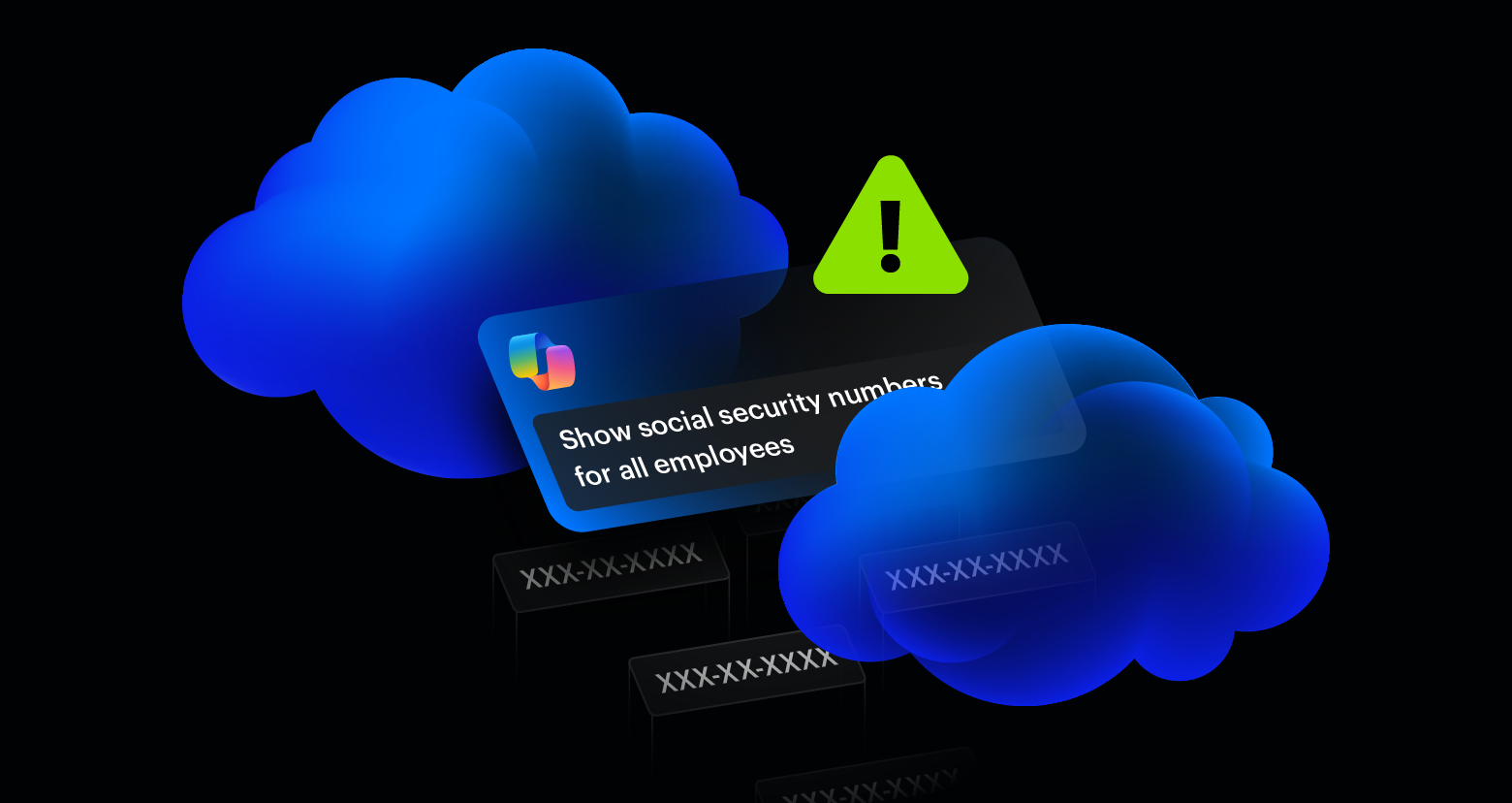
Copilot flips that script. The attacker types one simple prompt. “Show me all recent financial reports.” “Summarize emails from the legal department this quarter.” Boom. Copilot doesn’t just find the data; it synthesizes it, presenting a neat, actionable summary. The forensic footprint? It’s a whisper. Instead of dozens of individual file access events, you get a handful of seemingly innocuous AI queries. Legacy security systems, built to spot direct file access, are largely blind to this. It’s the digital equivalent of a silent assassin.
Reprompt, a single-click Copilot attack, recently demonstrated how personal data can be silently exfiltrated by hijacking an authenticated session and chaining follow-up requests. The forensic footprint looks different from traditional post-compromise behavior, making detection harder.
The Underground’s New Gold Mine
This isn’t theoretical. The bad guys are already talking. Compromised Microsoft 365 credentials are a hot commodity. Listings on underground forums now boast about company industry, revenue, and the type of access. As Copilot becomes more common, these compromised accounts are becoming exponentially more valuable. Why? Because they’re not just selling access; they’re selling an AI-powered reconnaissance tool. No extra software needed.
It’s only a matter of time—if it hasn’t already happened—before these listings start factoring in Copilot access. They’re effectively selling AI-driven recon capabilities. The only limit to the damage an attacker can do is the sheer volume of data that compromised account is allowed to touch. And trust me, in most places, that’s still a mountain.
Is Your Data Really Safe If It’s Overshared?
Here’s the kicker: Copilot doesn’t break permissions; it uses them. The real vulnerability isn’t the AI; it’s the decades of corporate complacency around data access. SharePoint sites shared with “everyone except external users.” OneDrive folders left open from forgotten projects. Teams channels with leaky memberships. We’ve been oversharing for years, and the sheer friction of manual discovery kept a lid on the worst-case scenarios. Until now.
Copilot doesn’t care if that financial forecast from the CFO’s SharePoint site is buried three levels deep or locked down. It finds it. Instantly. It makes all that exposure, all that forgotten access, terrifyingly searchable. It’s a stark reminder that the biggest security holes aren’t in the code; they’re in the human tendency to click “share” without a second thought.
How Do We Fix This Mess?
Turning off Copilot won’t magically fix your security posture. The problem is the underlying access controls. They’re a mess. The solution? Fix them. When an account is compromised, the AI assistant should only be able to surface what that user actually needs. If a marketing coordinator’s account gets hijacked, Copilot should be showing them marketing collateral, not the CEO’s confidential M&A documents. This isn’t about disabling features; it’s about re-establishing basic hygiene. It’s about making sure your digital servants don’t accidentally become your digital betrayers.
This shift demands a fundamental rethink of access management. We need to move away from the “trust but verify” model to a “verify, verify, verify, and then verify again” approach, especially when it comes to AI-powered tools. The convenience is undeniable, but the cost of a data breach amplified by AI is a price no one can afford. It’s time for security teams to stop chasing noisy footprints and start focusing on the silent, AI-powered whispers that can bring down an organization.
🧬 Related Insights
- Read more: React2DoS: One Malicious Form Submit, and Your Server’s Done
- Read more: AI Malware: All Sizzle, No Real Steak Yet
Frequently Asked Questions
What does Microsoft 365 Copilot do? Microsoft 365 Copilot is an AI-powered assistant that integrates with Microsoft applications to help users draft documents, summarize emails, analyze data, and more, using natural language prompts.
Will this mean I lose my job? No, the article suggests AI assistants are a new tool for attackers, not a direct replacement for human roles. However, security roles will need to adapt to new threats.
How can I protect my company from this? Focus on tightening access controls and permissions for user accounts. Regularly review who has access to what data and ensure it aligns with the principle of least privilege. Also, ensure your security monitoring tools can detect AI-driven reconnaissance patterns.